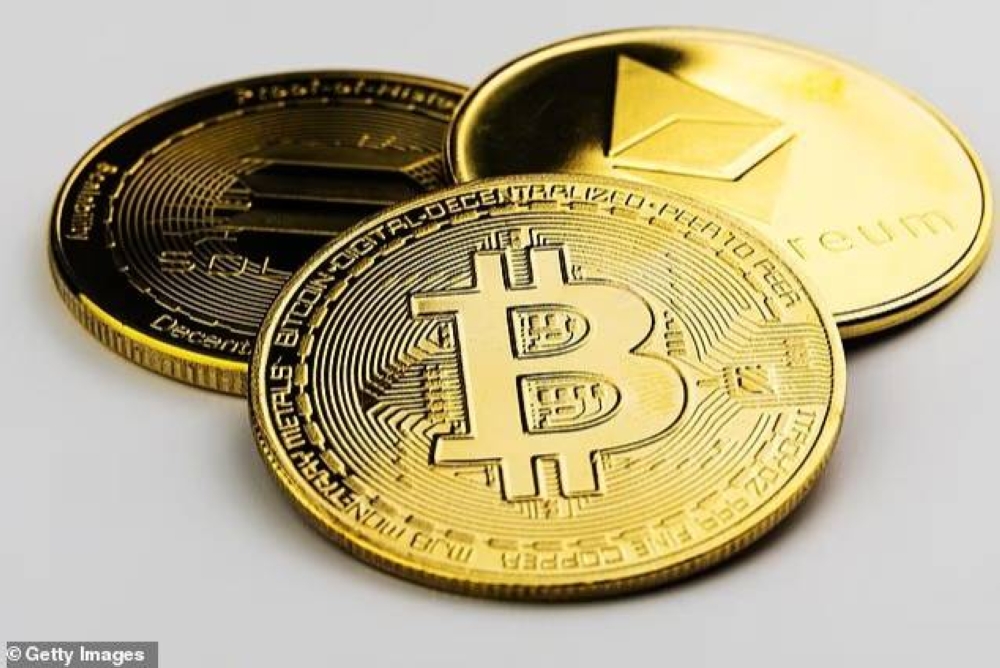
حذر خبراء الأمن السيبراني من تعرض ملايين المستخدمين لخطر فقدان أموالهم المخزنة في المحافظ الرقمية، إذا لم يقوموا بحذف 20 تطبيقاً ضاراً فوراً من أجهزتهم.
ووفقاً لصحيفة mail online، كشف فريق شركة سايبل المتخصصة في الأمن السيبراني وجود تطبيقات مزيفة في متجر غوغل بلاي تتظاهر بأنها محافظ رقمية موثوقة، مستخدمة أسماء وتصاميم مطابقة أو مشابهة للتطبيقات الأصلية.
وتشمل التطبيقات المزيفة أسماء مثل Pancake Swap،Suiet Wallet،Hyperliquid،Raydium،BullX Crypto،Meteora Exchange،Harvest Finance Blog،SushiSwap وOpenOcean Exchange.
وتُستخدم شعارات وتصاميم شبيهة بالتطبيقات الأصلية لخداع المستخدمين وتحميلها من متجر غوغل بلاي.
وللتفريق بين التطبيق الأصلي والمزيف، يمكن للمستخدمين التحقق من اسم المطور، على سبيل المثال، التطبيق الأصلي PancakeSwap يحمل اسم المطور PancakeSwap Team، بينما المزيف يستخدم حزمة مطور تُعرف بـco.median.android.pkmxaj.
وتستخدم التطبيقات الـ19 الأخرى أسماء متغيرة لحزم المطورين، وتستهدف هذه التطبيقات المستخدمين لإدخال عبارة الأمان المكونة من 12 كلمة، وهي الرمز السري للوصول إلى المحافظ الرقمية.
وبمجرد إدخالها يستطيع الهاكرز سرقة العبارة والوصول إلى المحفظة الحقيقية، ونقل العملات الرقمية مثل البيتكوين أو الإيثيريوم إلى محافظهم، دون إمكانية استردادها بسبب طبيعة معاملات البلوكتشين الدائمة وغير القابلة للعكس.
ووفقاً للتقديرات، يستخدم أكثر من 400 مليون شخص العملات الرقمية حول العالم، بما في ذلك ملايين من مستخدمي أندرويد.
ويزيد من خطورة الاحتيال أن بعض حزم المطورين كانت في السابق تابعة لتطبيقات شرعية، مثل ألعاب أو تطبيقات بث مباشر، مما جعل التطبيقات المزيفة تبدو موثوقة بسبب سجل التنزيلات العالي.
وإذا استخدم المستخدم عبارة الأمان في تطبيق مزيف، يمكن للهاكرز الوصول إلى محفظته الرقمية على البلوكتشين، حتى لو كانت مخزنة على تطبيق أو جهاز آخر، كما أن التطبيق المزيف لا يدير العملات الرقمية، بل يُعد واجهة لسرقة رمز الأمان.
وللتحقق من التطبيقات، يمكن لمستخدمي أندرويد مراجعة إعدادات التطبيقات أو تفاصيل الحزمة في متجر غوغل بلاي.
بينما يتمتع مستخدمو آيفون بحماية أكبر بفضل عملية مراجعة التطبيقات الصارمة في متجر آب ستور، إلا أنهم ليسوا بمأمن تماماً من الاحتيال عبر مواقع وهمية أو روابط مشبوهة.
وأبلغت سايبل غوغل بالتطبيقات الضارة، وتمت إزالة معظمها، لكن بعضها لا يزال متاحاً في المتجر.
وقدم خبراء الأمن السيبراني مجموعة من النصائح للحماية من السرقة، كالتالي:
تحقق من اسم المطور وحزمة التطبيق قبل التنزيل.
تجنب إدخال عبارة الأمان في تطبيقات مشبوهة.
ابحث عن عدد التنزيلات ومراجعات المستخدمين للتأكد من شرعية التطبيق.
لمستخدمي آيفون، التزم بتنزيل التطبيقات من متجر آب ستور الرسمي.
Cybersecurity experts have warned that millions of users are at risk of losing their funds stored in digital wallets if they do not immediately delete 20 malicious applications from their devices.
According to the Mail Online, a team from the cybersecurity company Cyble revealed the presence of fake applications in the Google Play Store that pretend to be trusted digital wallets, using names and designs that match or resemble the original applications.
The fake applications include names like Pancake Swap, Suiet Wallet, Hyperliquid, Raydium, BullX Crypto, Meteora Exchange, Harvest Finance Blog, SushiSwap, and OpenOcean Exchange.
Logos and designs similar to the original applications are used to deceive users into downloading them from the Google Play Store.
To differentiate between the original and the fake application, users can check the developer's name; for example, the original PancakeSwap has the developer name PancakeSwap Team, while the fake one uses a developer package known as co.median.android.pkmxaj.
The other 19 applications use varying developer package names, and these applications target users to enter the 12-word security phrase, which is the secret code to access digital wallets.
Once entered, hackers can steal the phrase and access the real wallet, transferring cryptocurrencies like Bitcoin or Ethereum to their wallets, with no possibility of recovery due to the permanent and irreversible nature of blockchain transactions.
According to estimates, over 400 million people worldwide use cryptocurrencies, including millions of Android users.
The fraud is exacerbated by the fact that some developer packages were previously associated with legitimate applications, such as games or live streaming apps, making the fake applications appear trustworthy due to their high download records.
If a user enters the security phrase in a fake application, hackers can access their digital wallet on the blockchain, even if it is stored on another application or device, as the fake application does not manage cryptocurrencies but serves as an interface to steal the security code.
To verify applications, Android users can review the application settings or package details in the Google Play Store.
While iPhone users enjoy greater protection due to the strict app review process in the App Store, they are not completely safe from fraud through fake websites or suspicious links.
Cyble reported the malicious applications to Google, and most of them have been removed, but some are still available in the store.
Cybersecurity experts have provided a set of tips to protect against theft, as follows:
Check the developer's name and application package before downloading.
Avoid entering the security phrase in suspicious applications.
Look for the number of downloads and user reviews to ensure the application's legitimacy.
For iPhone users, stick to downloading applications from the official App Store.