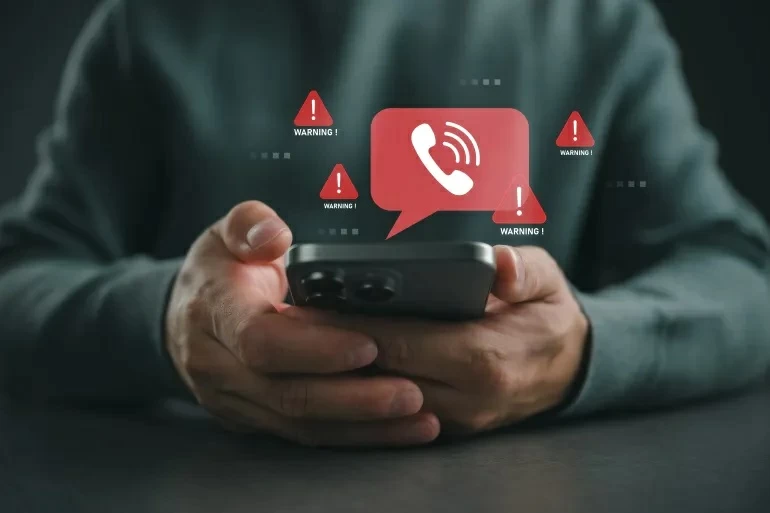
لم يعد فقدان الهاتف الذكي مجرد خسارة لجهاز إلكتروني يمكن تعويضه بالمال، بل تحول في العصر الرقمي إلى كابوس يهدد هويتك الرقمية بالكامل، وحساباتك البنكية، ورسائلك الخاصة، وصورك الشخصية المحفوظة في السحابة.
ومع اعتمادنا المطلق على الهواتف لإدارة المحافظ الذكية وتطبيقات الدفع، يؤكد خبراء الأمن السيبراني أن الساعة الأولى بعد السرقة هي «المرحلة الحرجة»، فإما أن تنقذ بياناتك وهويتك الرقمية، وإما أن تتركها لقمة سائغة للقراصنة. وإذا تعرضت لهذا الموقف، فإليك خطة الطوارئ العاجلة لحماية ملفاتك الحساسة.
خطوات لا تحتمل التأجيل
تحذر لجنة التجارة الفيدرالية الأمريكية (FTC) من أن وقوع الهاتف في الأيدي الخطأ قد يسمح للمهاجمين بانتحال شخصيتك والوصول إلى مدخراتك المالية، ولتفادي ذلك عليك التحرك خلال الدقائق الأولى عبر هذه الخطوات:
- قفل الهاتف وتفعيل «وضع الفقدان» فوراً: استخدم خدمة «جدني» (Find My) على آيفون، أو «جد جهازي» (Find My Device) على أندرويد. يقفل هذا الإجراء الهاتف تلقائياً برمز مرور، ويمنع تماماً استخدام المحافظ الرقمية وخدمات الدفع الإلكتروني.
- تجميد شريحة الاتصال (SIM): تواصل مع شركة الاتصالات لتعطيل الشريحة فوراً، سواء كانت الشريحة العادية أم الإلكترونية (eSIM). وتعد هذه الخطوة حاسمة؛ لأن السارق قد يستخدم الشريحة لتلقي رموز التحقق الثنائية (OTP) لاختراق حساباتك الأخرى.
- مسح البيانات عن بُعد: إذا تأكدت من استحالة استعادة الهاتف، فامسح جميع البيانات عن بُعد عبر حساب آبل أو جوجل؛ لمنع الوصول إلى الصور والملفات، علماً بأن هواتف آيفون الحديثة يمكن الاستمرار في تتبعها حتى بعد المسح.
- تغيير كلمات المرور (ابدأ بالبريد): غيّر كلمات مرور حساباتك فوراً، واجعل البداية دائماً من البريد الإلكتروني؛ لأنه البوابة الأساسية التي تستخدم لاستعادة بقية الحسابات والخدمات السحابية وتطبيقات العمل والتحكم فيها.
- إبلاغ البنك وخدمات الدفع: سارع بالتواصل مع مصرفك لتعليق البطاقات الائتمانية المرتبطة بالهاتف مؤقتاً، ولمراقبة أي عمليات سحب أو شراء مشبوهة.
احذر «الفخ الخفي» بعد السرقة
يحذر خبراء الأمن السيبراني من حيلة ذكية وخطيرة يبدأ السارقون في تنفيذها بعد الحادثة بأيام، إذ يتلقى الضحية رسائل نصية أو بريداً إلكترونياً يدعي أنه صادر من شركة آبل أو جوجل، ويطلب منه تسجيل الدخول بحجة «تحديد موقع الهاتف المسروق».
في الحقيقة، هذه صفحات تصيد احتيالي يرسلها السارق بهدف سرقة بيانات دخولك وإزالة «قفل التنشيط» (Activation Lock)، ليتمكن من مسح الجهاز وإعادة بيعه كأنه جديد. وتقول القاعدة الذهبية هنا: لا تضغط على أي روابط مجهولة، ولا تحذف الهاتف من حسابك لدى آبل أو جوجل أبداً، إلا إذا استعدته فعلياً.
ولتجنب دفع الثمن غالياً، ينصح الخبراء بتهيئة هاتفك دائماً لسيناريو السرقة عبر:
- استخدام رمز مرور قوي لا يقل عن 6 أرقام، مع تجنب الأرقام المتكررة أو تاريخ الميلاد.
- تفعيل البصمة أو التعرف على الوجه.
- إجراء نسخ احتياطي (Backup) دوري لبياناتك.
- الاحتفاظ بالرقم التسلسلي للجهاز (IMEI) في مكان آمن خارج الهاتف، لتقديمه إلى الشرطة عند الحاجة.
The loss of a smartphone is no longer just a loss of an electronic device that can be compensated for with money; in the digital age, it has turned into a nightmare that threatens your entire digital identity, your bank accounts, your private messages, and your personal photos stored in the cloud.
With our absolute reliance on phones to manage digital wallets and payment applications, cybersecurity experts emphasize that the first hour after the theft is the "critical phase." You either save your data and digital identity, or you leave it as an easy target for hackers. If you find yourself in this situation, here’s an urgent emergency plan to protect your sensitive files.
Steps That Cannot Be Delayed
The U.S. Federal Trade Commission (FTC) warns that having your phone fall into the wrong hands could allow attackers to impersonate you and access your financial savings. To avoid this, you need to act within the first few minutes by following these steps:
- Lock the phone and activate "Lost Mode" immediately: Use the "Find My" service on iPhone or "Find My Device" on Android. This action automatically locks the phone with a passcode and completely prevents the use of digital wallets and electronic payment services.
- Freeze the SIM card: Contact your telecom provider to disable the SIM card immediately, whether it is a regular SIM or an eSIM. This step is crucial because the thief may use the SIM card to receive two-factor authentication (OTP) codes to breach your other accounts.
- Wipe data remotely: If you are certain that recovering the phone is impossible, remotely wipe all data via your Apple or Google account to prevent access to photos and files, noting that modern iPhones can still be tracked even after a wipe.
- Change passwords (start with email): Change your account passwords immediately, starting always with your email; it is the primary gateway used to recover and manage other accounts, cloud services, and work applications.
- Notify the bank and payment services: Quickly contact your bank to temporarily suspend the credit cards linked to the phone and to monitor any suspicious withdrawals or purchases.
Beware of the "Hidden Trap" After Theft
Cybersecurity experts warn of a clever and dangerous trick that thieves begin to implement days after the incident, where the victim receives text messages or emails claiming to be from Apple or Google, asking them to log in under the pretext of "locating the stolen phone."
In reality, these are phishing pages sent by the thief to steal your login data and remove the "Activation Lock," allowing them to wipe the device and resell it as if it were new. The golden rule here is: do not click on any unknown links, and never remove the phone from your Apple or Google account unless you have actually recovered it.
To avoid paying a high price, experts recommend always preparing your phone for a theft scenario by:
- Using a strong passcode of at least 6 digits, avoiding repeated numbers or birth dates.
- Activating fingerprint or facial recognition.
- Regularly backing up your data.
- Keeping the device's serial number (IMEI) in a safe place outside the phone to provide to the police if needed.